Home / Shop / Simple Paycheck Budget
Google Sheets & Excel · beginner friendly
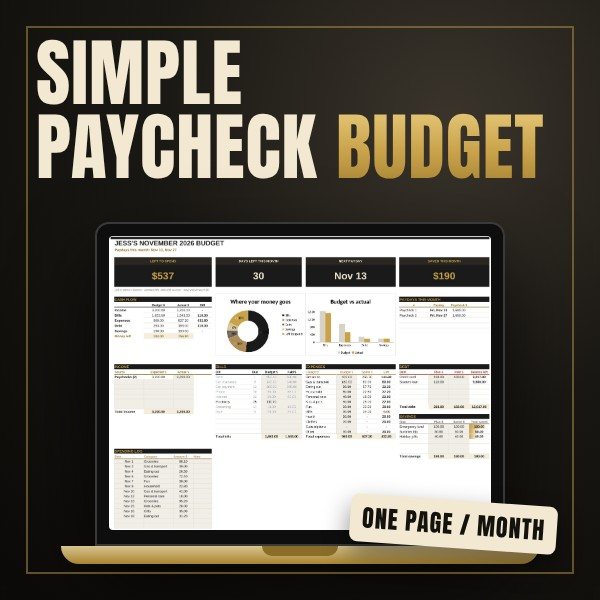
Simple Paycheck Budget: one page per month
The easiest way to start budgeting. Each month fits on one page with two big numbers at the top: what's left to spend and how many days are left. Your paydays are calculated for you, weekly, biweekly or monthly.
- Weekly · biweekly · monthly
- Budget vs actual
- 12 months + year summary
- Any currency
Your download link appears right after payment and is also sent to your email.
- Instant download
- Secure checkout
- Example file included
- Works on phone too
What's inside
A simple budget that does the math
One file, all connected. Type once and the dashboard, charts and calendar update by themselves.
- One page per month: 12 monthly dashboards (Jan to Dec) with your name on top.
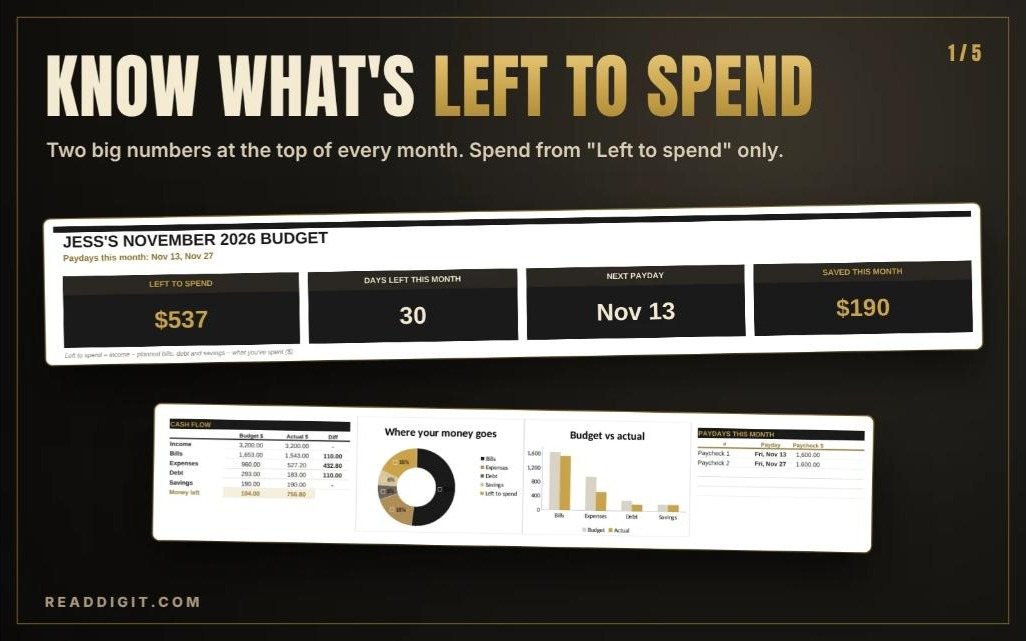
- Left to spend & days left: two big numbers at the top: what you can still spend and how many days are left.
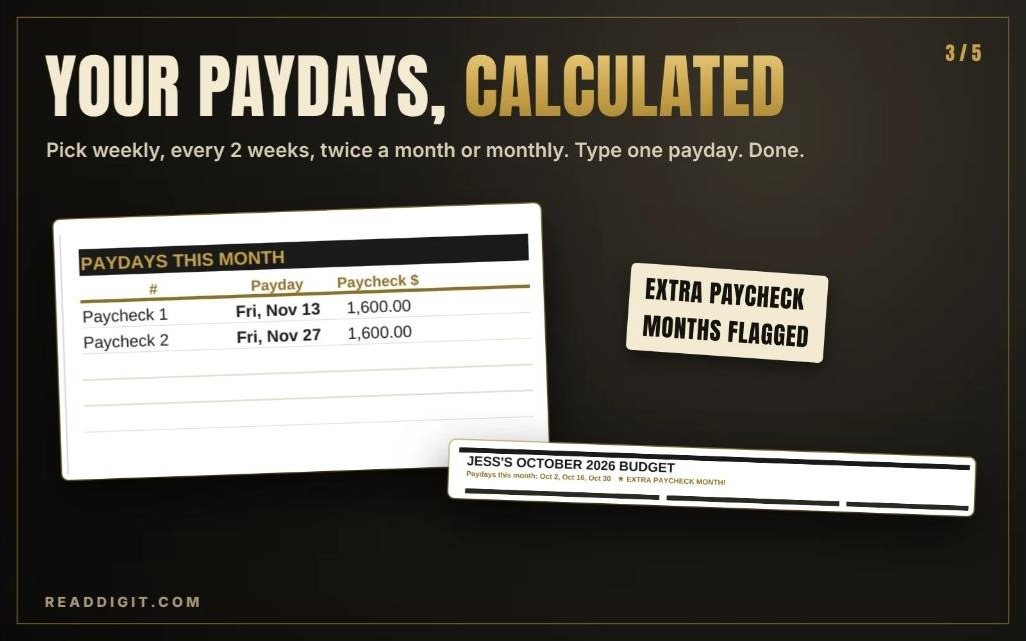
- Paydays calculated: weekly, every 2 weeks, twice a month or monthly. Extra-paycheck months are flagged.
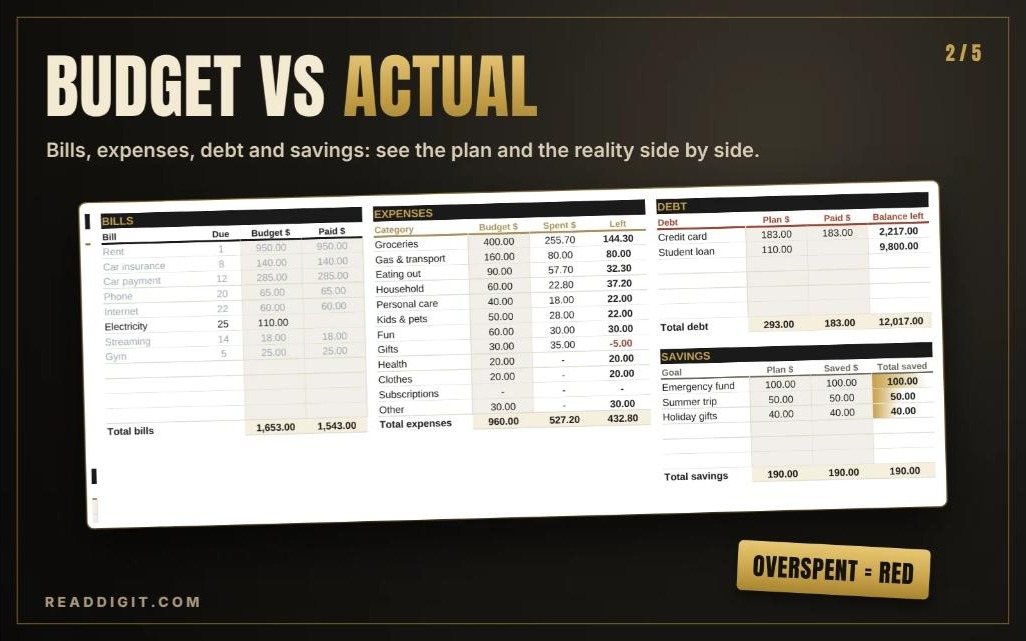
- Budget vs actual: for income, bills, expenses, debt and savings, with overspending in red.
- 2 charts per month: where your money goes, and budget vs actual.
- Spending log: date, category, amount: 60 rows a month.
- Year summary: all 12 months on one tab with a chart.
- Any currency: $, €, £ or any symbol you type. Plus a filled-in example file.
15-second video
Watch: give every dollar a job
Look inside
Look inside the Simple Paycheck Budget
Example numbers shown. Your copy comes ready for your own paychecks and bills.
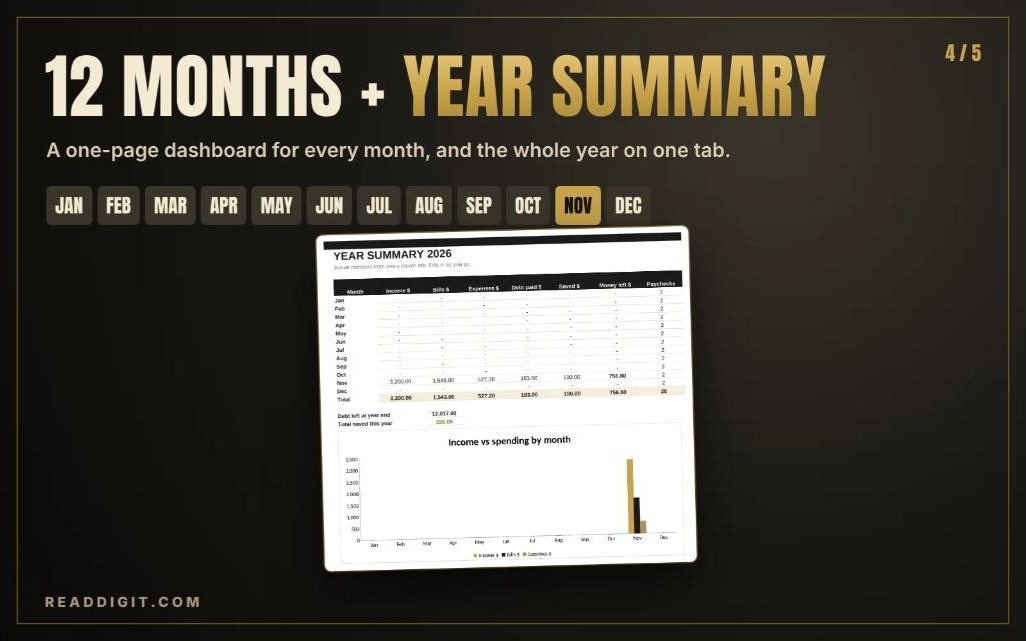
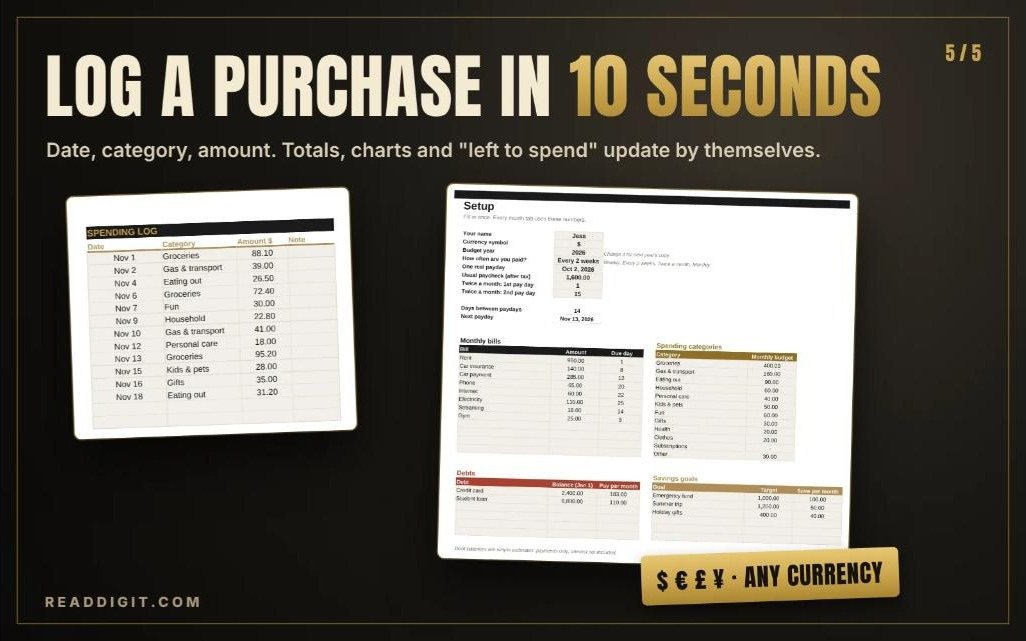
How it works
Set it up in 10 minutes
- Step 1Open the file in Google Sheets (File → Import) or Excel
- Step 2On Setup, type your name, currency, pay schedule and one payday
- Step 3List your bills, spending categories, debts and savings goals once
- Step 4Open this month's tab, log what you spend, and watch "Left to spend"
Made for
Who the Simple Paycheck Budget is for
Beginners
Never kept a budget? One page per month, two numbers to watch.
Paid every week or two
Paydays calculated for you, with extra-paycheck months flagged.
Anywhere in the world
Use any currency symbol: $, €, £ and more.
Questions
Before you buy
Is this budget spreadsheet good for beginners?
Yes. Each month is one page. Type your pay, bills and categories once in Setup, then just log what you spend. 'Left to spend' and 'Days left' update by themselves.
Does it work if I'm paid weekly, every two weeks or twice a month?
Yes. Choose weekly, every 2 weeks, twice a month or monthly and type one real payday. Your paydays for every month are calculated, and months with an extra paycheck are flagged.
Can I use my own currency?
Yes. Type your currency symbol ($, €, £…) in Setup and it appears on every month.
Does it work in Google Sheets and Excel?
Yes. Import the .xlsx file in Google Sheets (File, then Import) or open it in Microsoft Excel.
What's the difference with the Paycheck Budget Planner?
The Simple Paycheck Budget is one page per month with budget vs actual. The Planner ($9.99) plans every paycheck for 12 months with a bill calendar and includes the 20-page playbook.
How do I get it after I pay?
Right after payment you get a download link on screen, and the same link is sent to your email.
Do I have to type my expenses? Does it connect to my bank?
Yes, you type them yourself, and no, it never connects to your bank. That is on purpose: your financial data stays in your own file and no app can see your accounts. It takes about 5 minutes per payday, and typing each expense is what makes you notice where your money goes.
Can I use it on my phone?
Yes. Open it in the free Google Sheets app on Android or iPhone to log expenses and check your numbers. The first setup is easier on a computer because the sheet is wide. You only need a free Google account or Microsoft Excel.
Does it work if my income changes every week?
It is made for a regular paycheck (weekly, every 2 weeks, twice a month or monthly). If your pay changes a lot, for example freelance or shift work, plan with the smallest amount you usually earn and treat anything above it as extra for savings or debt. That keeps your plan safe even in a slow week.
Which one should I choose?
Start with the free Paycheck Budget Starter Kit ($0) on paper. The Simple Paycheck Budget ($4.99) is one page per month. The Paycheck Budget Planner ($9.99) plans every paycheck for 12 months. The Dashboard ($19) adds charts, savings goals and debt payoff. The Ultimate ($29) adds up to 10 debts, sinking funds, subscriptions and net worth. All of them are a one-time payment.
This spreadsheet is a tool to organize your money, not financial advice. For personal use only.
The Paycheck Budget System
Ready for more? Upgrade any time
Same paycheck method at every step: plan every paycheck, add charts and debt payoff, or go Ultimate.
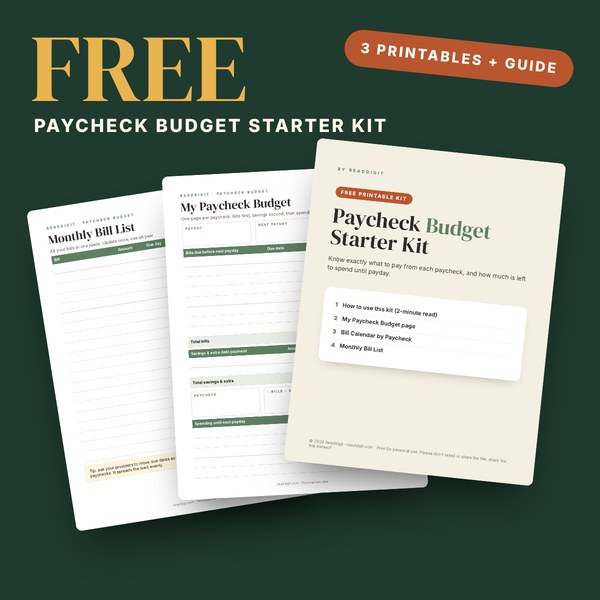 Step 1 · FreePaycheck Budget Starter Kit3 printables to plan paychecks on paper$0Step 2 · SimpleSimple Paycheck BudgetOne page per month, left to spend$4.99You are here
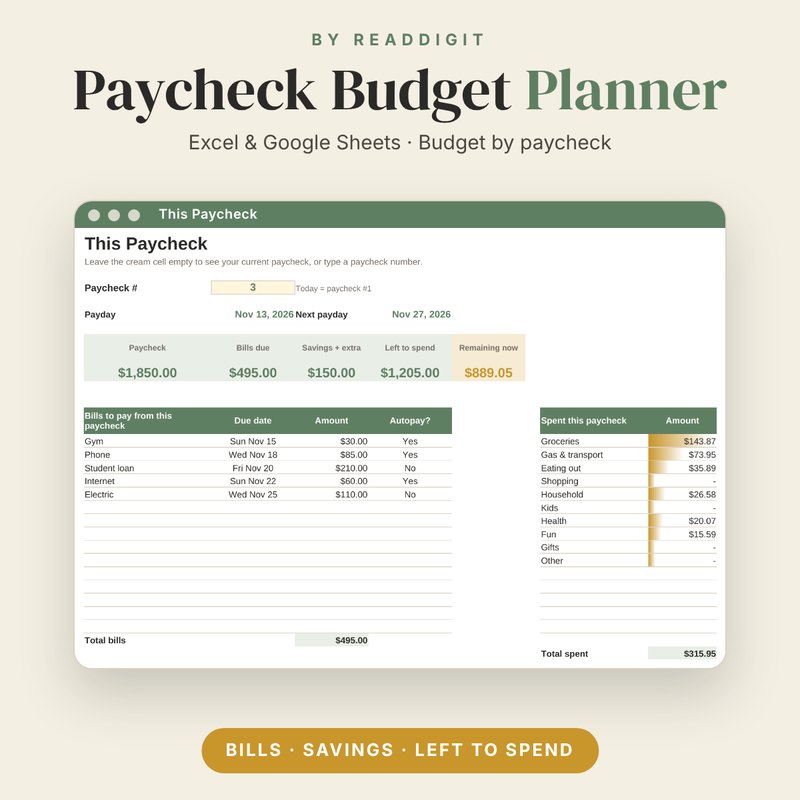 Step 3 · PlannerPaycheck Budget PlannerBills sorted by paycheck + 20-page playbook$9.99
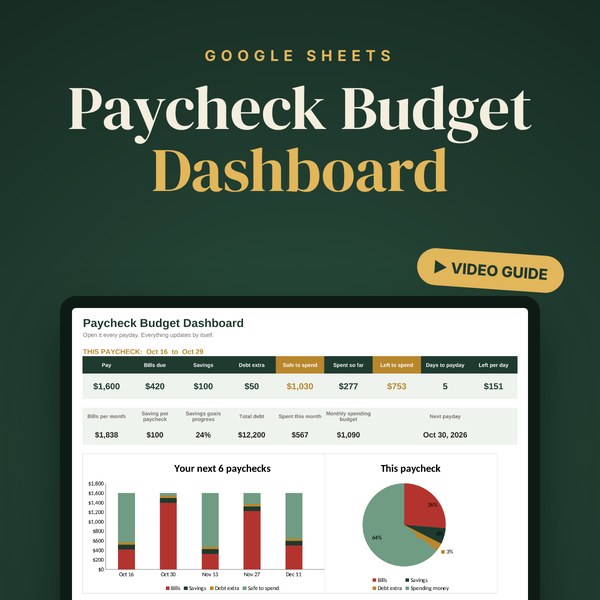 Step 4 · PlusPaycheck Budget DashboardCharts, savings, debt payoff & video$19
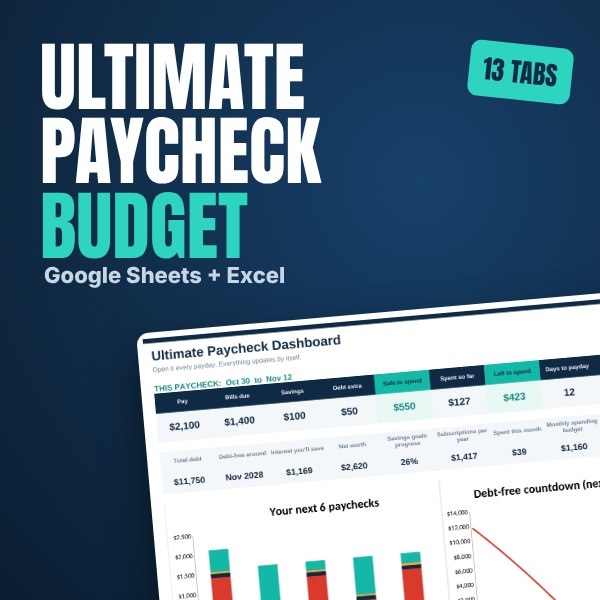 Step 5 · UltimateUltimate Paycheck Budget10 debts, sinking funds, net worth$29
Your next payday, planned
Start budgeting tonight
Download the Simple Paycheck Budget, type your pay and bills, and know what's left to spend in 10 minutes.
Buy now · $4.99Want to try budgeting by paycheck first? Get the free Paycheck Budget Starter Kit.