Home / Shop / 1099 Tax & Income Tracker
For freelancers · Google Sheets & Excel
1099 Tax & Income Tracker: know what to set aside every quarter
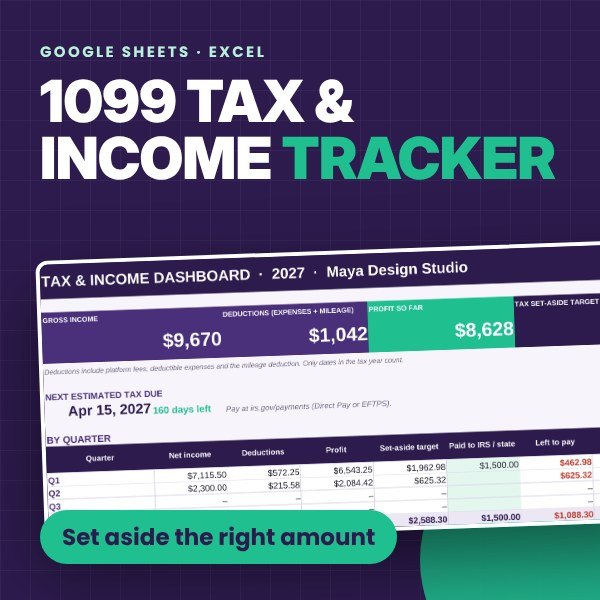
Log your payments, expenses and miles. The tracker shows your profit, your deductions and a tax set-aside target for every quarter, with the next IRS due date and how many days are left.
- Quarterly tax set-aside
- Mileage log
- 1099 check
- 2027 IRS due dates
Your download link appears right after payment and is also sent to your email.
- Instant download
- Secure checkout
- Example file included
- Works on phone too
What's inside
Everything to stay ready for tax time
One file, all connected. Log a payment or an expense and the dashboard, quarters and charts update by themselves.
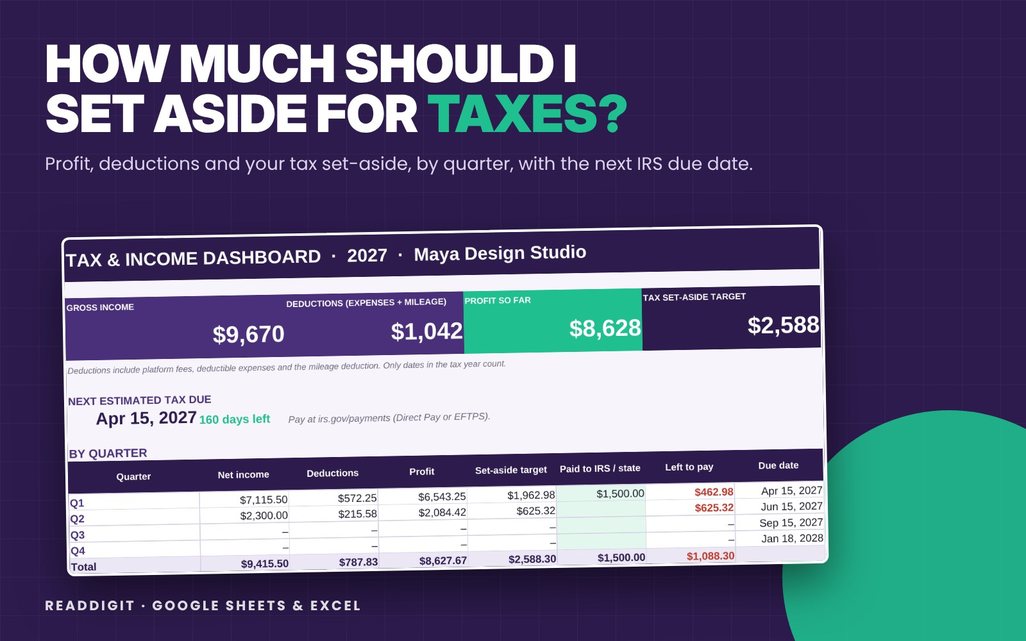
- Dashboard: gross income, deductions, profit and your tax set-aside target, with the next estimated tax due date.
- By quarter: net income, deductions, profit, set-aside target, what you paid and what's left to pay.
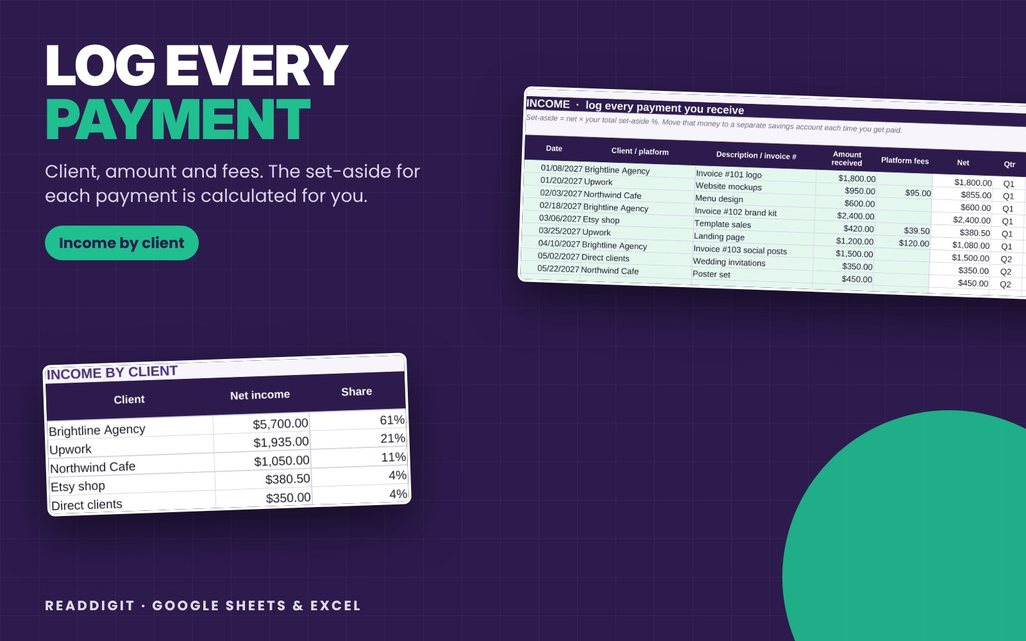
- Income log: 500 rows: client, amount, platform fees, net and the set-aside for each payment.
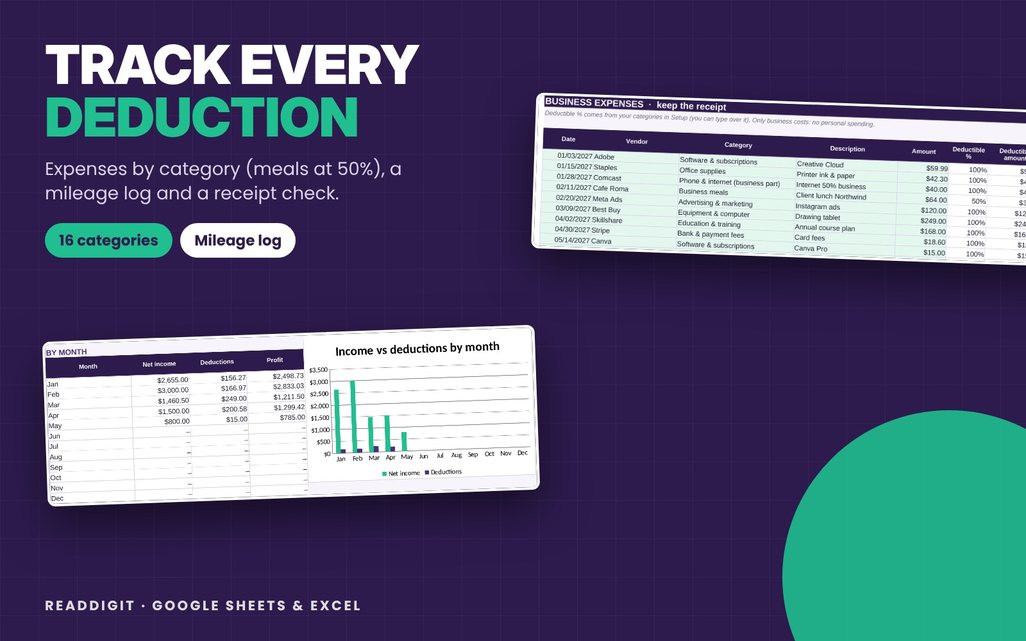
- Expense log: 16 business categories, business meals at 50%, deductible amount and a receipt check.
- Mileage log: trips, purpose and deduction using your mileage rate.
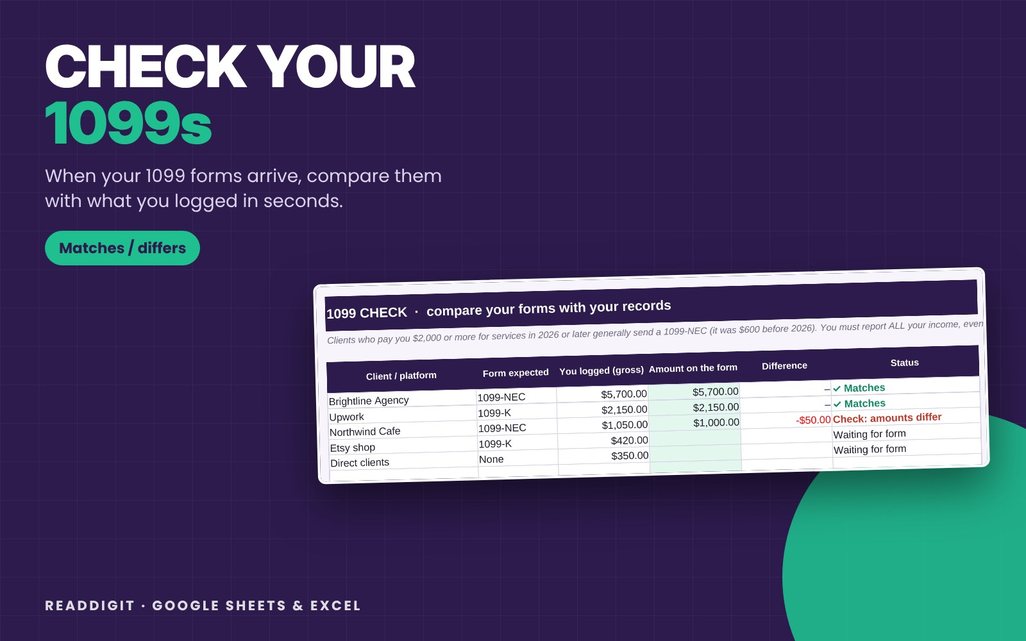
- 1099 Check: compare your 1099-NEC and 1099-K forms with what you logged.
- Charts: income vs deductions by month, top deductions and income by client.
- Example file: a full sample freelancer year so you see how everything works.
15-second video
Watch: the 4 dates freelancers can't miss
Look inside
Look inside the tracker
Example numbers shown. Your copy comes empty and ready for your own clients and expenses.
How it works
Set it up in 10 minutes
- Step 1Open the file in Google Sheets (File → Import) or in Excel
- Step 2In Setup, type your set-aside %, mileage rate and clients
- Step 3Log each payment, business expense and trip (about 5 minutes a week)
- Step 4Check the Dashboard before each quarterly due date and type what you paid
Made for
Who the tracker is for
Freelancers & creatives
Designers, writers, developers, VAs: income by client and deductions in one file.
Gig & platform workers
Upwork, Etsy, delivery and rideshare: platform fees, 1099-K check and mileage.
Side hustlers
A job plus extra 1099 income: know what to set aside so April is not a surprise.
Questions
Before you buy
How much should I set aside for taxes as a freelancer?
It depends on your income, state and deductions, so the tracker lets you type your own set-aside percentage. A common rule of thumb is 25–30% of profit. The tracker then shows a set-aside target for every payment and every quarter. Check your real number with a tax professional or IRS Form 1040-ES.
When are quarterly estimated taxes due in 2027?
For the 2027 tax year the IRS due dates are April 15, June 15 and September 15, 2027, and January 18, 2028. Your 2026 fourth-quarter payment is due January 15, 2027. The dates are in the Setup tab and you can change them.
Does it work for 1099-NEC and 1099-K income?
Yes. Log each payment with the client or platform and its fees. The 1099 Check tab compares what you logged with the amount on each form when it arrives. Clients generally send a 1099-NEC when they pay you $2,000 or more for services in 2026 or later.
Does it track mileage?
Yes. Log each business trip and the deduction is calculated with your mileage rate (the 2026 IRS business rate is $0.76 per mile from July 1, 2026). Use either the mileage log or actual car expenses for a vehicle, not both.
Does it connect to my bank?
No. You log payments and expenses yourself, so your data stays in your own file. It takes about 5 minutes a week.
Does it work in Google Sheets and Excel?
Yes. In Google Sheets go to File → Import and upload the .xlsx file. In Excel just open it. It also works in the free Google Sheets phone app.
Is this tax advice?
No. It is a tracking tool that organizes your numbers. Your real tax bill depends on your situation, so check with a tax professional or irs.gov.
How do I get it after I pay?
Right after payment you get a download link on screen, and the same link is sent to your email.
This spreadsheet is a tracking tool, not tax advice. Your real tax depends on your situation; check with a tax professional or irs.gov. For personal use only.
Tax time, without the surprise
Know your number before the IRS does
Download the tracker, open the example file and log your first payment tonight.
Buy now · $9.99Paid by paycheck too? See the Simple Paycheck Budget.